
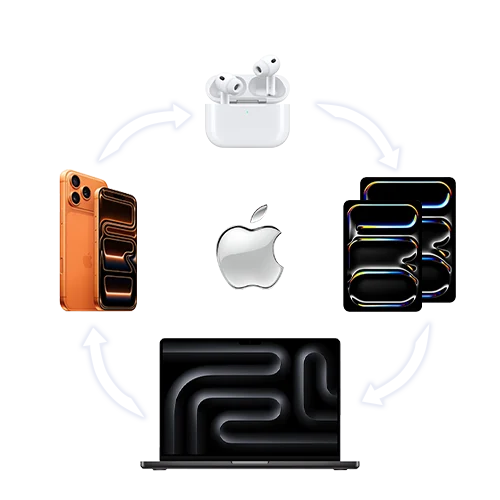

When someone mentions Apple, we instantly think about iPhones, iPads, MacBooks, and, to an extent, AirPods and Apple Watches. However, the most unique about the brand is something that is referred to as the ‘Apple Ecosystem’.
The Apple Ecosystem isn’t a product, but an invisible connector that makes every Apple device feel like part of a unified product family. Let’s have a look at some of the key aspects of the Apple Ecosystem that make all its products work together seamlessly.
1. Copy & Paste
This one’s definitely a time-saver. Copy text on your iPad, paste it straight onto your Mac, just like that. No, no emailing or WhatsApping yourself random links. Just straight-up wizardry thanks to Handoff. Probably one of the most important features in the entire ecosystem.
2. Universal Control & Sidecar
Universal Control allows you to use a single keyboard and mouse/trackpad across multiple Apple devices (Macs and iPads). You can move your cursor seamlessly between them, type on either device, and even drag and drop files from one to the other — but each device keeps running its own operating system.
Sidecar, on the other hand, turns your iPad into a second screen for your Mac, ideal for boosting productivity and extending your workspace.
3. Quick Screenshot Editing on iPad
Capture a screenshot on your Mac and immediately annotate it on your iPad using Apple Pencil. The edited image is saved automatically back to your Mac. Whether it’s signing documents, sketching ideas for creative projects, or simply highlighting something to share with someone, this feature makes everyday work really easy!
4. Passwords & Touch ID
One of the best things about the Apple ecosystem is how effortlessly it remembers your passwords across devices. With Touch ID enabled, logging in is as simple as a quick tap. Even better, you can unlock your Mac using your Apple Watch, too. No more fumbling with passwords, mistyping, or battling the caps lock, just smooth, instant access.
5. Full iPhone Access from Mac
iPhone mirroring lets you bring the full iOS experience to your Mac. You can project your iPhone’s screen onto your Mac and interact with it just as you would on the phone, whether that’s replying to ‘important messages’ when you should actually be working, or placing an order for your lunch. iPhone notifications also appear directly on your Mac, allowing you to stay updated without needing to reach for your phone.
6. Turn Your iPhone into a Webcam
This feature allows your iPhone’s high-resolution rear camera for video calls, podcasts, or content creation. Whether you’re on Zoom, Google Meet, or filming professional content, the iPhone delivers sharper quality than most standalone webcams. This feature is especially useful for Mac Mini users without a built-in camera, offering a seamless setup that ensures clear, professional-looking video without the need for extra equipment.
At the end of the day, the Apple Ecosystem is a thread that ties all the devices together, creating an experience that feels intuitive and seamless. Each feature quietly removes hassles from your day, making technology work with you effortlessly. It’s this seamless integration across devices that sets Apple apart and proves why the ecosystem itself is one of Apple’s greatest innovations.